Apple retention messages: how subscription app founders can stop cancellations (and why buyers care)

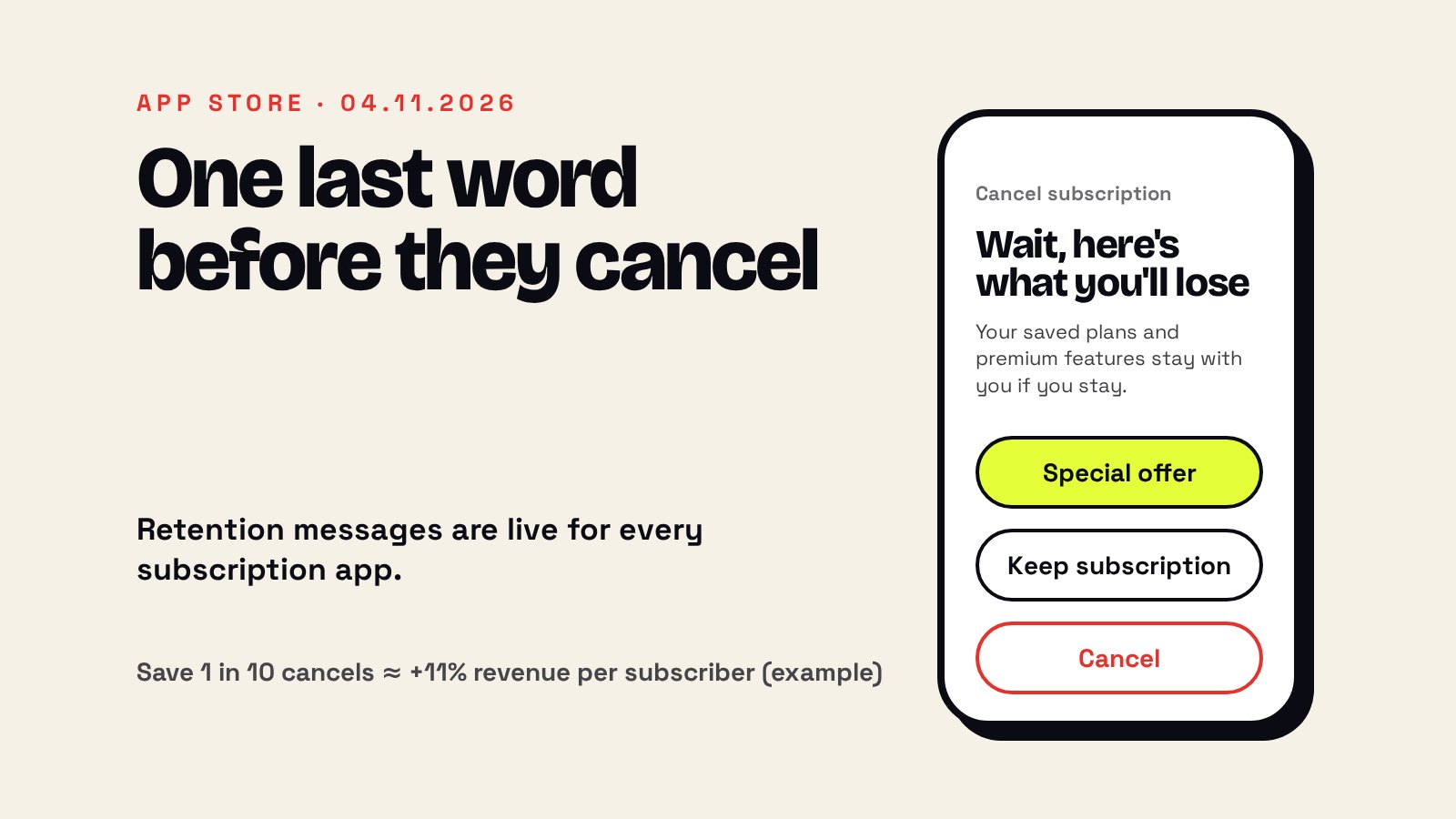
Short answer: On November 4, 2026, Apple made retention messages available for auto-renewable subscriptions (Apple Developer News). When someone starts to cancel, the App Store can now show your message inside the cancellation flow: text, an image, or a special offer such as a discount or a free period. You set it up in App Store Connect, including who is eligible and how long they must wait between offers. Each app gets up to 10 messages, and each message goes through App Review.
Until this week, the moment a subscriber tapped "Cancel" was the one moment you could never touch. Apple just gave you that screen. If you run a subscription app, this is the cheapest churn fix you will get this year, and if you plan to sell, it is a number a buyer will ask about.
The 30-second version
On November 4, 2026, Apple made retention messages available for auto-renewable subscriptions (Apple Developer News). When someone starts to cancel, the App Store can now show your message inside the cancellation flow: text, an image, or a special offer such as a discount or a free period. You set it up in App Store Connect, including who is eligible and how long they must wait between offers. Each app gets up to 10 messages, and each message goes through App Review.
What exactly you can do now
From Apple's setup guide (App Store Connect Help):
- Three versions of the screen: text only; text and an image; or text and a retention offer, which eligible subscribers see instead of the image.
- Offers: pay as you go, pay up front, or free, with your own duration and price per country.
- Eligibility: a minimum paid subscription duration before someone qualifies, and an optional wait between offers (counted per offer, not per subscription).
- Who can set it up: Account Holder, Admin, App Manager or Marketing roles. You can also automate it with the App Store Connect API and the Retention Messaging API.
What founders are saying
So far the coverage (9to5Mac, Apple World Today) only quotes Apple. We haven't found a subscription app founder on the record about results yet, so we won't invent a quote. Here is how it looks from our side of the table, as people who buy subscription apps.
Why this matters more than it looks
Most subscription apps fight churn everywhere except the place it actually happens. You send win-back emails after they leave, you run push campaigns, you discount the annual plan. But the person who is cancelling right now never sees any of it, because the cancel button lives in the iPhone's settings, not in your app. That screen just became yours.
And churn is the number that quietly decides what your app is worth. A buyer doesn't pay for this month's revenue. They pay for how long each subscriber keeps paying.
The buyer's math (one illustration)
A hypothetical example, not a prediction: your app loses 8% of subscribers a month. The average subscriber stays about 1 / 0.08 = 12.5 months. If your retention message saves just 1 in 10 people who start to cancel, churn drops to 7.2% and the average lifetime becomes 1 / 0.072 = 13.9 months. That's about 11% more revenue from every subscriber you already have, without a single new install.
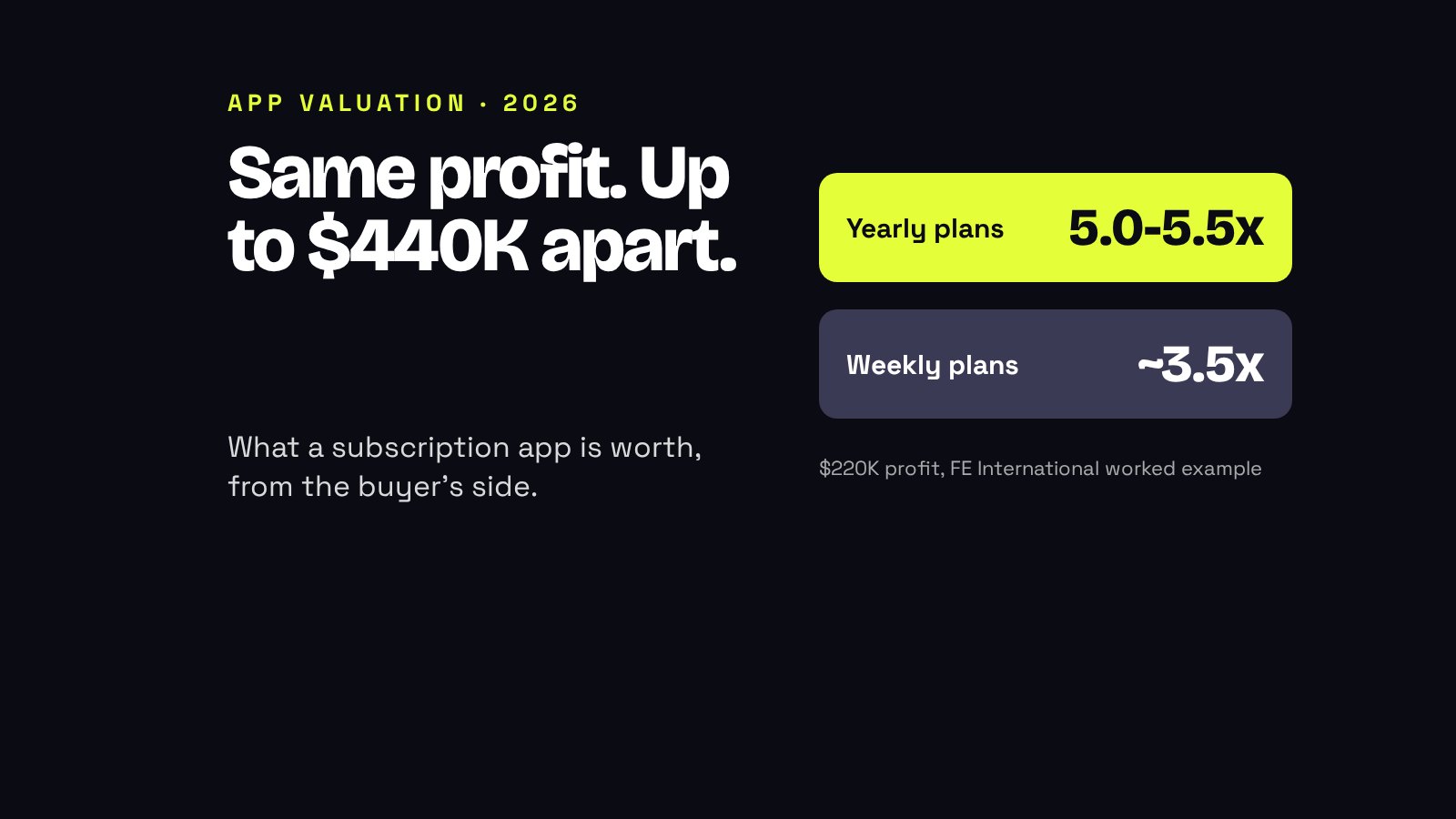
Now the part founders miss: when we value a subscription app, retention is one of the things that moves the multiple, not just the revenue (see how much a subscription app is worth). A cleaner retention curve, with 3 to 6 months of data showing the saves, is something you can actually put in front of a buyer.
What it means for you, founder by founder
What changes: you can now catch the people who cancel out of habit or price, at the exact moment.
Should you act? yes, this week. It is free and you control who gets the offer.
What I'd do: start with a text-and-image message that names what they lose, then test a one-month discount only for subscribers who have paid for 3+ months.
What changes: Apple lets you create up to 10 retention offers per billing plan type, and that includes the monthly-with-12-month-commitment plan Apple launched in April (Apple).
Should you act? yes, but carefully: a cheap save on an annual plan can cost you more than it saves.
What I'd do: offer a free extra month instead of a price cut, so you keep your price anchor.
What changes: every saved subscriber is a bigger share of your revenue.
Should you act? yes, a text-only message takes 20 minutes and still goes to every cancellation.
What I'd do: write it like a person: what they get, what they lose, nothing pushy. Then check cancellations in 30 days.
What changes: buyers will start asking "do you run retention messages, and what do they save?"
Should you act? yes: switch it on now, so you have months of data by the time you sell.
What I'd do: track the offer identifier in Sales and Trends from day one, and bring the before and after churn to the valuation. You can get a first range on our valuation tool.
Your checklist
- App Store Connect: your app > Monetization > Subscriptions > Retention Messaging > Get Started.
- Write the header and body: the value they keep, or a factual loss. No prices, no "% off", no scare tactics.
- Localize it for every storefront where you sell the subscription.
- Optional: add an image (3840 × 2160 or 5244 × 2950 pixels).
- Add a retention offer per subscription, with a minimum paid duration (for example 3 months) and a wait between offers.
- Use a clear offer identifier, so you can see saves in Sales and Trends and in StoreKit transactions.
- Preview it, submit it for review, and write down your churn today, so you can compare in 30 and 90 days.
Thinking about selling? Read how to sell your app to a company and how to value an app without losing money.
FAQ
What are App Store retention messages?
A message Apple shows inside the subscription cancellation flow. Since November 4, 2026, developers can configure it in App Store Connect for auto-renewable subscriptions. It can be text, text and an image, or text and a retention offer for eligible subscribers.
Can I offer a discount when someone cancels?
Yes. You can attach retention offers to a subscription: pay as you go, pay up front, or a free period, with your own duration, price and eligibility. The offer appears as its own component; the message text itself cannot mention prices or discounts.
How many retention messages can I have?
Up to 10 retention messages per app, and each subscription can have only one active message at a time. You can create up to 10 retention offers for each subscription billing plan type.
Do retention messages need App Review?
Yes. You submit each message for review. Text that mentions prices or offers, coerces subscribers, or makes unverifiable claims gets rejected.
Does lower churn really raise my app's value?
Yes. Buyers value a subscription app on how long subscribers keep paying, not only on this month's revenue. As an illustration, cutting monthly churn from 8% to 7.2% raises the average subscriber lifetime from 12.5 to about 13.9 months, roughly 11% more revenue per subscriber.
Written by Idan Waller, co-founder of BlueThrone. We buy and grow mobile apps, so we read every store rule change from the founder's side of the table.


Keep reading






Time for
your exit?